
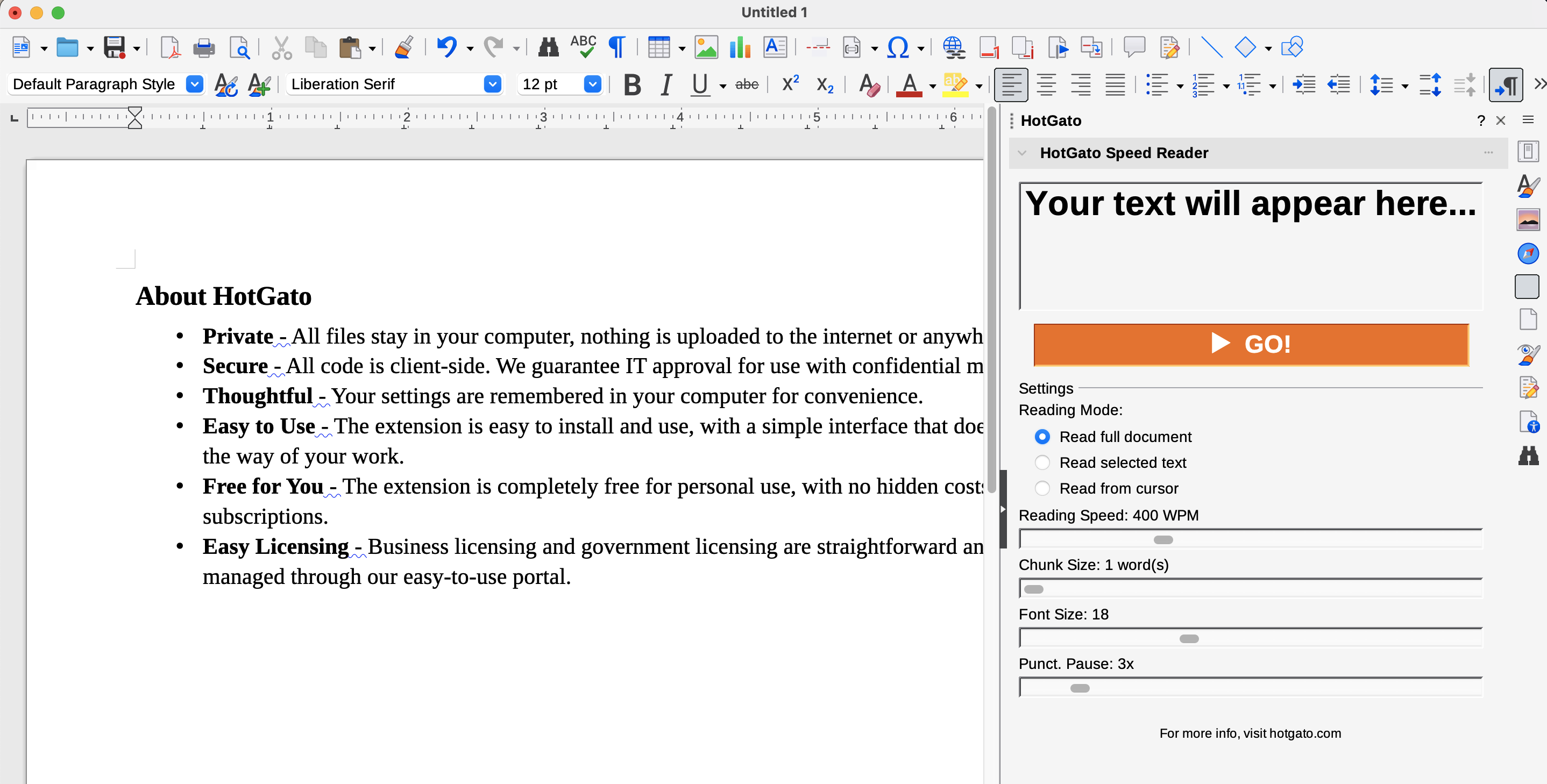
About HotGato for LibreOffice Writer
- Private - All files stay in your computer, nothing is uploaded to the internet or anywhere else.
- Secure - All code is client-side. We guarantee IT approval for use with confidential materials.
- Thoughtful - Your settings are remembered in your computer for convenience.
- Easy to Use - The extension is easy to install and use, with a simple interface that doesn't get in the way of your work.
- Free for You - The extension is completely free for personal use, with no hidden costs or subscriptions.
- Easy Licensing - Business licensing and government licensing are straightforward and can be managed through our easy-to-use portal.
HotGato for LibreOffice
License Options
- One-time payment. No recurring fees. But no updates.
- Recurring monthly payment. Updates included. Support provided.
If you would like to request the HotGato extension for LibreOffice, please contact us by email.
How to install HotGato on LibreOffice
- Email to license the HotGato extension for LibreOffice.
- Install the extension by opening LibreOffice and navigating to "Tools" > "Extensions..." > "Add".
- Restart LibreOffice to complete the installation.
- Once installed, you can access HotGato from the Sidebar menu, via "View" > "Sidebar".